

Link building(Offpage) SEO Service
Let’s make Google hum your algorithm’s favorite tune.
Why Is Off-Page SEO Important?
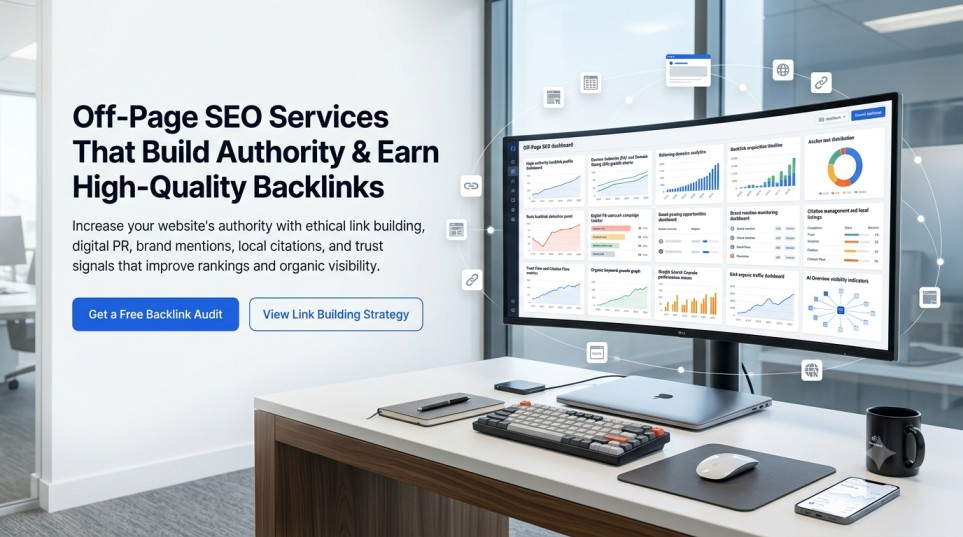
Off-page SEO focuses on building your website’s authority through high-quality backlinks and other trust signals. When reputable websites link to your content, Google sees your site as more credible, which can improve your rankings. A study by Backlinko and Ahrefs analyzing 11.8 million Google search results found that the #1 ranking page has, on average, 3.8 times more backlinks than pages ranked #2–#10, highlighting the importance of earning quality backlinks for better search visibility.
What Does a Technical SEO Service Include?
Most websites have something broken under the hood. My technical SEO service finds those problems and fixes them one by one, in order of what matters most.
Technical SEO Audit Checklist for Beginners and Growing Sites
You can’t fix what you don’t know is broken. My audit scans every corner of your website and tells you exactly what’s wrong in simple language you can actually understand.
- Crawl tests to find blocked or missing pages
- Sitemap and robots.txt check
- Search Console error review
- Indexing coverage report
- Priority fix list ranked by SEO impact
How Much Does a Professional Technical SEO Audit Cost?
Audit pricing depends on site size and how deep you want to go. A basic audit for small sites starts at an affordable rate. Enterprise-level audits covering thousands of pages are priced separately. Contact me for a custom quote.
Best Technical SEO Audit Tools for Agencies
I use a professional stack of tools not just one. Each tool has a job:
- Screaming Frog full site crawl, redirect chains, canonical issues
- Google Search Console index coverage, crawl stats, Core Web Vitals
- PageSpeed Insights LCP, CLS, TBT, mobile speed scores
- Ahrefs broken links, backlink health
- GTmetrix load waterfall and performance scoring
- Schema Markup Validator structured data testing
How to Improve Core Web Vitals for Better Rankings
A slow site doesn’t just annoy visitors it kills rankings. Google uses Core Web Vitals as a direct ranking factor. If your site fails these tests, you lose ground to competitors every single day.
How to Fix Largest Contentful Paint (LCP) Issues
LCP measures how long your main content takes to appear on screen. If it takes longer than 2.5 seconds, Google considers it slow. I fix this by:
- Compressing and converting images to WebP format
- Setting up lazy loading for images below the fold
- Minifying CSS and JavaScript files
- Enabling browser caching for repeat visitors
- Using GZIP compression on your server
Does Web Hosting Affect Technical SEO Scores?
Yes and more than most people think. Cheap shared hosting slows your server response time (TTFB), which directly hurts LCP and overall page speed. If your hosting is slow, even perfect code won’t save your scores. I’ll flag hosting issues and recommend better options if needed.
How to Optimize Images for Core Web Vitals
Images are the #1 cause of slow LCP scores. I convert your images to next-gen formats like WebP, add proper width/height attributes to prevent layout shift (CLS), and apply lazy loading so images off-screen don’t slow down your first load.
Why Are My Pages Not Being Indexed by Google?
Publishing a page doesn’t mean Google finds it. If your pages aren’t indexed, they don’t exist in search full stop. This is one of the most common problems I find during audits.
Crawl and Index Optimization
- txt rules to stop Google wasting time on low-value pages
- XML sitemaps submitted and free of errors
- Noindex tags cleaned up from important pages
- Crawl budget focused on your best content
- Internal links improved so Google can reach every key page
How to Fix ‘Discovered Currently Not Indexed’ in Search Console
‘Discovered Currently Not Indexed’ means Google knows your page exists but hasn’t crawled it yet. This usually happens because of a low crawl budget, poor internal linking, or slow server speed. I find the root cause and fix it then request re-indexing through Search Console.
How to Optimize Crawl Budget for Ecommerce Sites
Ecommerce sites often have thousands of product variant URLs, paginated pages, and filter combinations. These eat up crawl budget without ranking for anything. I block low-value URLs in robots.txt, clean up pagination, and consolidate duplicate pages with canonical tags so Google spends its crawl budget on pages that actually convert.
How to Fix 404 Errors and 301 Redirect Chains
404 errors tell Google your page is gone and if that page has backlinks, you’re throwing away link value. Redirect chains slow things down and lose ranking power with every extra hop. I map all broken links, create clean 301 redirects, flatten chains, and fix loop redirects.
What Is Schema Markup and How Does It Help SEO?
Schema markup is a type of code you add to your website. It tells Google exactly what your content is about whether it’s a service, a product, an FAQ, or a local business. When Google understands your content better, it can show rich snippets in search results: star ratings, prices, FAQs, and more.
Rich snippets take up more space on the search results page. More space means more clicks even if you’re not in position #1.
How to Add Review Schema to My Website
Review schema shows star ratings directly in Google search results. I add JSON-LD review schema to your product or service pages, validate it with Google’s Rich Results Test, and make sure it meets all of Google’s guidelines so your stars actually appear.
Best Schema Types for Local Service Businesses
- LocalBusiness name, address, phone, hours, map
- Service description of what you offer
- FAQPage common questions shown directly in search
- Review/AggregateRating star ratings in results
- BreadcrumbList shows your page path in search snippets
How to Use Google Structured Data Testing Tool
Google’s Rich Results Test lets you check if your schema code is working correctly. Paste in your URL or code, and it shows what rich snippets Google can detect. I run this test after every schema implementation and fix any errors before they affect your search appearance.
Which Platform Is Best for Technical SEO Performance?
Not all website platforms are built the same way for SEO. Some make technical optimization easy. Others get in the way. Here’s what you need to know:
How to Fix Shopify Technical SEO Limitations
Shopify has a few built-in limitations: duplicate /products/ and /collections/ URLs, auto-generated canonical tags that sometimes conflict, and limited control over robots.txt. I work around these limitations using approved methods custom canonical tags, smart internal linking, and clean sitemap setup.
Best Technical SEO Plugins for WordPress Site Speed
- Rank Math or Yoast SEO on-page SEO, sitemap, schema
- WP Rocket caching and speed optimization
- ShortPixel or Smush image compression and WebP conversion
- Redirection manage 301 redirects and track 404 errors
- Autoptimize minify CSS, JS, and HTML
Is Headless SEO Better for Performance Than WordPress?
Headless CMS setups (like Next.js or Gatsby with a headless backend) can load much faster but they come with extra technical SEO challenges. Server-side rendering (SSR), JavaScript rendering, and crawlability all need careful setup. WordPress is still the easier and safer choice for most small to mid-size businesses unless you have developer support.
What Are Important Off-Page SEO Techniques?
Off-site search engine optimization (SEO) is the core measure for improving a website’s search rankings. Search engines assess a websites credibility using four types of off site signals backlinks, brand mentions, user reviews, and social validation. In highly competitive fields where it is impossible to stand out relying solely on content, on site optimization alone has a clear upper limit.
In practical implementation, backlink quality must be the top priority. A single backlink from an industry publication or local news site carries far more ranking weight than dozens of backlinks from low quality directory websites.
Operators can use Ahrefs and Semrush to track competitors backlinks, and pursue three types of cooperation opportunities:
- Guest posting
- Brand partnerships
- Local sponsorships
Long-term consistent adherence to this approach will steadily boost the website’s search rankings.
My Technical SEO Process: From Audit to Execution
You don’t just get a list of problems. You get someone who fixes them step by step, in plain language.
Step 1 Site Crawl and Diagnostics
I scan your entire site not just the homepage. I look at how pages connect, what Google can and can’t see, where you’re losing visibility, and what’s slowing things down. You’ll get a full diagnostics map with screenshots and simple explanations of each issue.
Step 2 Custom Fix Plan and Approval
Every issue gets labeled: Must Fix, Should Fix, or Optional. I explain what each problem is, why it matters, and what happens if you leave it alone. You approve the plan before I touch anything.
Step 3 Optimization, Testing, and Monitoring
Once you approve, I fix everything on the list. Then I re-crawl, retest, and track the results. After fixes go live, I monitor your site for new issues because technical SEO is not a one-time job. It’s ongoing maintenance.
Who Should Use My Technical SEO Services?
Startups
You’re moving fast and publishing often. But rapid growth creates messy code, broken links, and indexing gaps. I lay a clean technical foundation before scale breaks things.
Agencies
One bad technical setup can ruin weeks of content work. I offer white-label technical audits so your clients get better results and you deliver with less stress.
Ecommerce Sites
Slow load times and duplicate product URLs cost you both rankings and sales. I fix product schema, canonical conflicts, and mobile speed so your store ranks and converts better.
Content-Heavy Websites
Blogs and publishers face thin pages, bloated archives, and broken author schema. I clean up your index, strengthen internal linking, and make sure Google finds your best content first.
Local Businesses
If you serve a local area, local schema and fast load times are critical. I add LocalBusiness schema, fix mobile issues, and make sure Google Maps and local search find you easily.
Let’s Fix What’s Holding Your Rankings Back
Your content might be great. Your design might look perfect. But if your technical SEO is broken, none of it gets seen.
Every day you wait, you’re losing clicks to competitors who already fixed these problems.
Here’s what you get when you work with me:
- A full technical audit using real, professional tools
- Screenshots and an action-based fix plan sorted by impact
- Optional full implementation (I fix it for you)
- Post-fix recheck and performance report
- Fast response usually within 24 hours
FAQS
What is technical SEO?
Technical SEO refers to optimizing the backend of a website to help search engines crawl, index, and rank pages effectively.
It includes elements like site structure, page speed, HTTPS security, mobile optimization, and crawlability settings (robots.txt and sitemaps).
Why is technical SEO important?
Without strong technical SEO, even great content may stay hidden.
Issues like slow speed, crawl blocks, or missing schema can stop Google from indexing your site and that kills rankings before they start.
What are the most important technical SEO ranking factors?
The key technical SEO ranking factors include:
- Fast page load time.
- Mobile-friendliness.
- Proper structured data (schema).
- Clean URL structure.
- Working redirects.
- Enforced HTTPS.
- Valid XML sitemaps and open robots.txt.
How do you fix crawlability and indexability issues?
I run a full crawl audit using Screaming Frog and Search Console.
Then I:
- Clean up robots.txt rules.
- Repair broken internal links.
- Submit updated XML sitemaps.
- Flatten deep navigation to improve indexability.
- Remove unnecessary “noindex” tags
Can technical SEO improve website speed?
Yes, a major part of my technical SEO service focuses on improving speed of webiste.
I:
- Compress code and images.
- Enable caching.
- Remove render-blocking scripts.
- Tune performance based on Core Web Vitals.
Faster pages = better rankings and happier users.
Do I need structured data or schema?
Absolutely. Adding schema markup helps search engines better understand your pages.
It can trigger rich results like:
- FAQs
- Reviews
- Products
- Events
- Articles
This boosts both visibility and click-through rates.
Will I get a technical SEO audit report?
Yes, every client receives a full technical audit report with:
- Screenshots
- Issue severity labels
- Recommended fixes
- Before/after metrics
You can implement the fixes or let me handle them.
What tools do you use for technical SEO?
I use a full stack of technical SEO tools, including:
- Screaming Frog for site crawl.
- Google Search Console for index and coverage data.
- PageSpeed Insights for speed testing.
- Ahrefs for link health.
- GTmetrix for load behavior.
- Schema Markup Validator for structured data accuracy.
Is technical SEO a one-time task or ongoing?
Some fixes, like HTTPS setup or sitemap repairs are one-time.
But full SEO maintenance is ongoing.
Why? Because:
- Google updates ranking algorithms.
- New pages need to be optimized.
- Technical issues reappear as the site evolves.
Is this service suitable for small or local businesses?
Yes, technical SEO is crucial for small and local businesses.
It helps:
- Load your site faster on mobile.
- Improve rankings in local search.
- Fix crawl issues hurting your visibility.
- Build trust with secure, structured, well-optimized websites.